
Router Login Shows a Privacy or Certificate Warning — Understand local HTTPS certificate warnings without teaching users to ignore certificate problems everywhere. The steps below stay focused on that exact task so you can verify the result without turning an unrelated router setting into a second problem.
What should you know before starting?
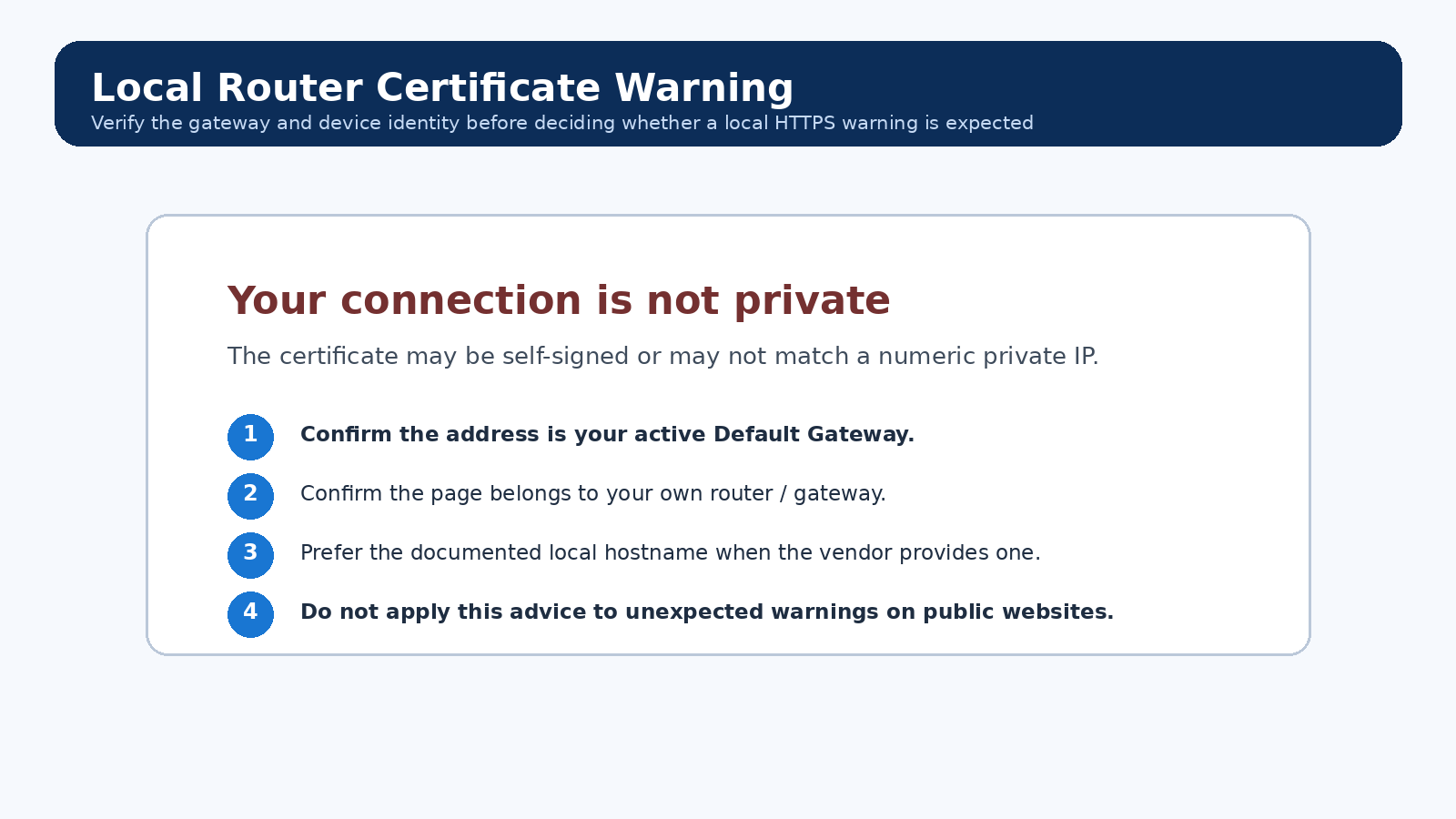
- Local routers can use self-signed certificates or certificates whose name does not match a numeric IP.
- A certificate warning is not proof that the router is malicious, but it is also not something to dismiss blindly.
- Verifying the actual gateway and device identity comes before proceeding.
For Router Login Shows a Privacy or Certificate Warning, first identify the router or gateway that actually owns the setting. Record the current value and the active gateway address. If the equipment came from an ISP, leave WAN authentication, provider VLANs, voice, optical settings, and remote-provisioning fields alone unless the provider documentation for your exact service tells you to change them.
Step-by-step
- Confirm the address is your own router/default gateway.
- Compare the model/vendor page and local hostname.
- Check device date/time; a badly wrong clock can invalidate certificates.
- Prefer the router’s documented HTTPS hostname if one exists.
- If the warning is unexpected on a public website or remote admin page, do not proceed.
How do you verify this specific change?
After completing Router Login Shows a Privacy or Certificate Warning, test the function you actually changed before touching anything else. Compare the observed result with the baseline you recorded. If the change affects Wi-Fi, test at least one modern client plus any older/IoT client that matters; if it affects routing, test from the side of the router where the behavior is supposed to occur.
Common mistakes to avoid
- Never generalize “click through certificate warnings” to banking/email/public sites.
- Captive portals and malicious networks can redirect traffic.
- A browser may remember an old certificate after firmware changes.
Technical detail behind this task
Private PKI and local-only names are awkward for public certificate authorities. Newer router ecosystems can avoid this with vendor hostnames, app-based management or locally trusted certificates, but many legacy interfaces still use self-signed TLS.
How should you document the final state?
For Router Login Shows a Privacy or Certificate Warning, keep a short note of the old value, the new value, the router model/firmware, and the test that confirmed the outcome. That note is especially useful after a firmware upgrade, factory reset, or router replacement because it records intent rather than only a screenshot.
Should I reset the router if this task fails?
Not simply because Router Login Shows a Privacy or Certificate Warning did not work on the first attempt. A factory reset erases unrelated configuration. First restore the previous value, confirm the correct device and management path, and use the exact model recovery procedure only when configuration is genuinely unrecoverable.
Video walkthrough for Router Login Shows a Privacy or Certificate Warning
Useful when a factory router address no longer works: identify the gateway your device is actually using before changing passwords or resetting hardware.
How to Find Your Default Gateway or Router IP Address — YouTube networking tutorial. Watch on YouTube
FAQs From Real-World Router Problems
These questions reflect recurring symptoms reported by home-network users. The answers below are independently written and should be matched to your exact router, firmware and ISP setup.
Why does 192.168.1.1 time out even though my internet works?
First read the active Default Gateway on the device you are using. A changed LAN subnet, router/AP mode, mesh adoption, or a second router can make an old bookmark wrong. If another device can open the page, compare the affected device for VPN/proxy use, guest isolation, endpoint security, and its current route.
Reddit HomeNetworking: phone can reach router while PC cannot · NETGEAR: router access troubleshooting
Why does the router login page open on my phone but not on my PC?
That points first to the PC path, not automatically to a dead router. Compare the PC gateway with the phone network, disconnect an interfering VPN when safe, verify the PC is not on a guest/isolated network, and test a clean browser profile before considering a reset.
Reddit HomeNetworking report · NETGEAR access troubleshooting
Why do I see the ISP gateway instead of my own router?
You may have two routing devices or overlapping LAN subnets. Check the client Default Gateway and the downstream router WAN address. If both devices use the same subnet or management IP, map the topology and use non-overlapping LANs or an intentional bridge/access-point design instead of repeatedly resetting devices.
Reddit HomeNetworking: double-router forwarding case · RFC 1918 private address ranges
Why does the password printed on the router not work for the admin page?
The printed value may be the Wi-Fi key, a recovery value, or an initial setup credential rather than the current administrator password. Some products also change the login field according to the original setup method. Identify the exact model and workflow before resetting it.
Reddit HomeNetworking: sticker/access-code confusion · ARRIS G34/G36 login-flow example
Why does my router show a privacy or certificate warning?
Some local router interfaces use HTTPS in a way that can trigger a browser certificate warning. Confirm that the destination is your own local gateway and follow the exact vendor procedure for that model. Do not generalize this to certificate warnings on public websites.
TP-Link community: local HTTPS certificate warning · Linksys: local HTTPS login warning
Why is the admin page blank after I log in?
A blank page can come from blocked JavaScript, stale cached assets, extensions, endpoint security, or a firmware/UI fault. Try the vendor-documented local URL, a clean browser profile, and another trusted local device before a factory reset.
Reddit NETGEAR: admin access differs by client device · NETGEAR access troubleshooting